Catalog management tool
Workwear Outfitter Catalog Management System
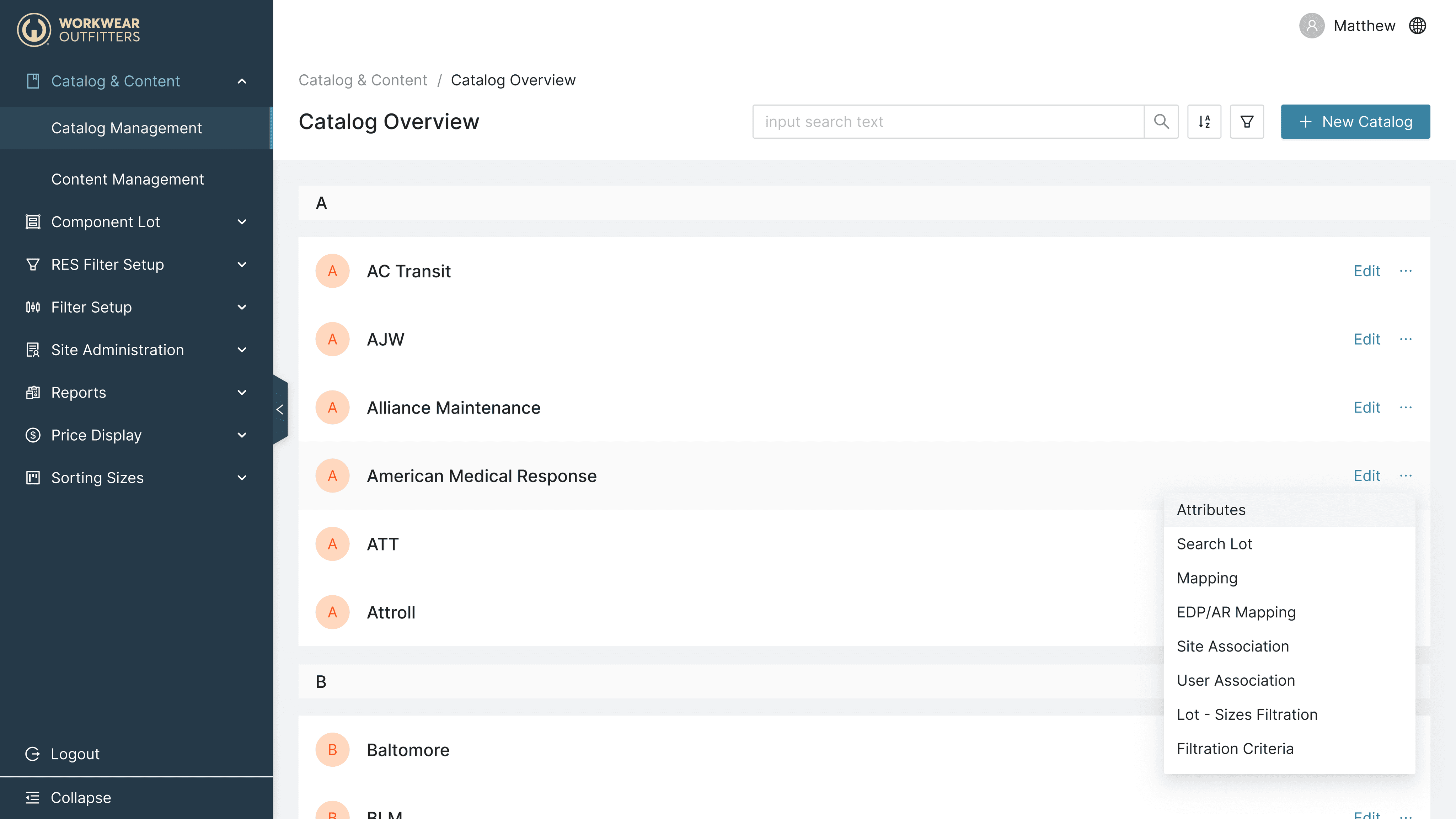

Designed and delivered a comprehensive catalog management system tailored for a leading brand called workwear outfitter, enabling streamlined product data handling, efficient inventory updates, and improved user workflows.
Led the full design lifecycle from user research and wireframing to prototypes and final UI, ensuring scalability and ease of use for both admin users and clients in a fast-paced environment.
Timeline
From Research, explorations to final designs in 4 weeks while working alone on this project.
Background
Workwear Outfitters is a leading provider of durable apparel and uniforms for professionals across industries such as transportation, construction, and healthcare. With a broad product range and a nationwide client base, managing an extensive, ever-changing catalog is both mission-critical and complex.
To support ongoing growth and ensure efficient product management, Workwear Outfitters launched an initiative to reimagine their legacy catalog management portal. The goal was to empower administrators to handle categories, sub-categories, and product styles with greater speed, accuracy, and consistency—laying the groundwork for scalable operations and better service to both internal teams and external partners
This category details the step-by-step approach taken during the project, including research, planning, design, development, testing, and optimization phases.
Discover
Interviewed catalog admins and product managers to understand pain points and workflow needs.
Audited legacy system and reviewed analytics for user behavior insights.
Benchmarked against leading catalog/product management experiences.
Define
Identified core problems: confusing navigation, insufficient feedback, and low efficiency.
Created personas (e.g., Catalog Administrator, Product Manager) to anchor design decisions.
Set success metrics: reduced task time, fewer data errors, higher admin satisfaction.
Design & Concept Proofing
Developed low-to-high fidelity prototypes using Ant Design system for UI consistency and accessibility.
Conducted usability tests with real admins—iteratively refined navigation, drag-and-drop, and confirmation dialogs.
Validated Master Catalog/Style Guide workflows, ensuring admins could efficiently apply and manage standardized styles.
Deliver
Annotated Figma files with notes and redlines; all components mapped to atomic design system.
Provided interactive prototypes showcasing core and edge-case user flows.
Enabled developers to directly leverage Ant Design system components, accelerating build and ensuring fidelity.
Held handoff workshops with engineering and QA teams to confirm requirements and resolve questions.
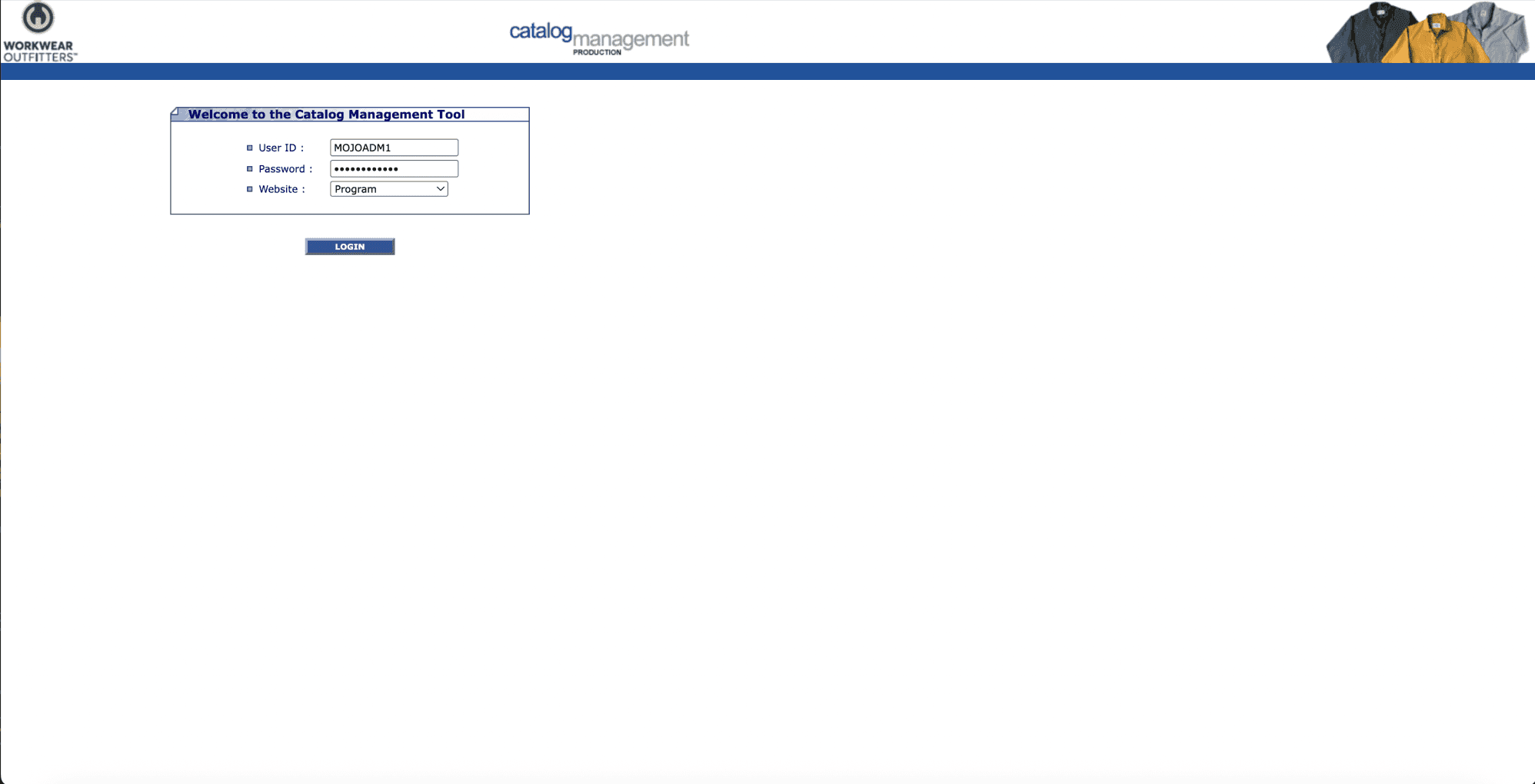
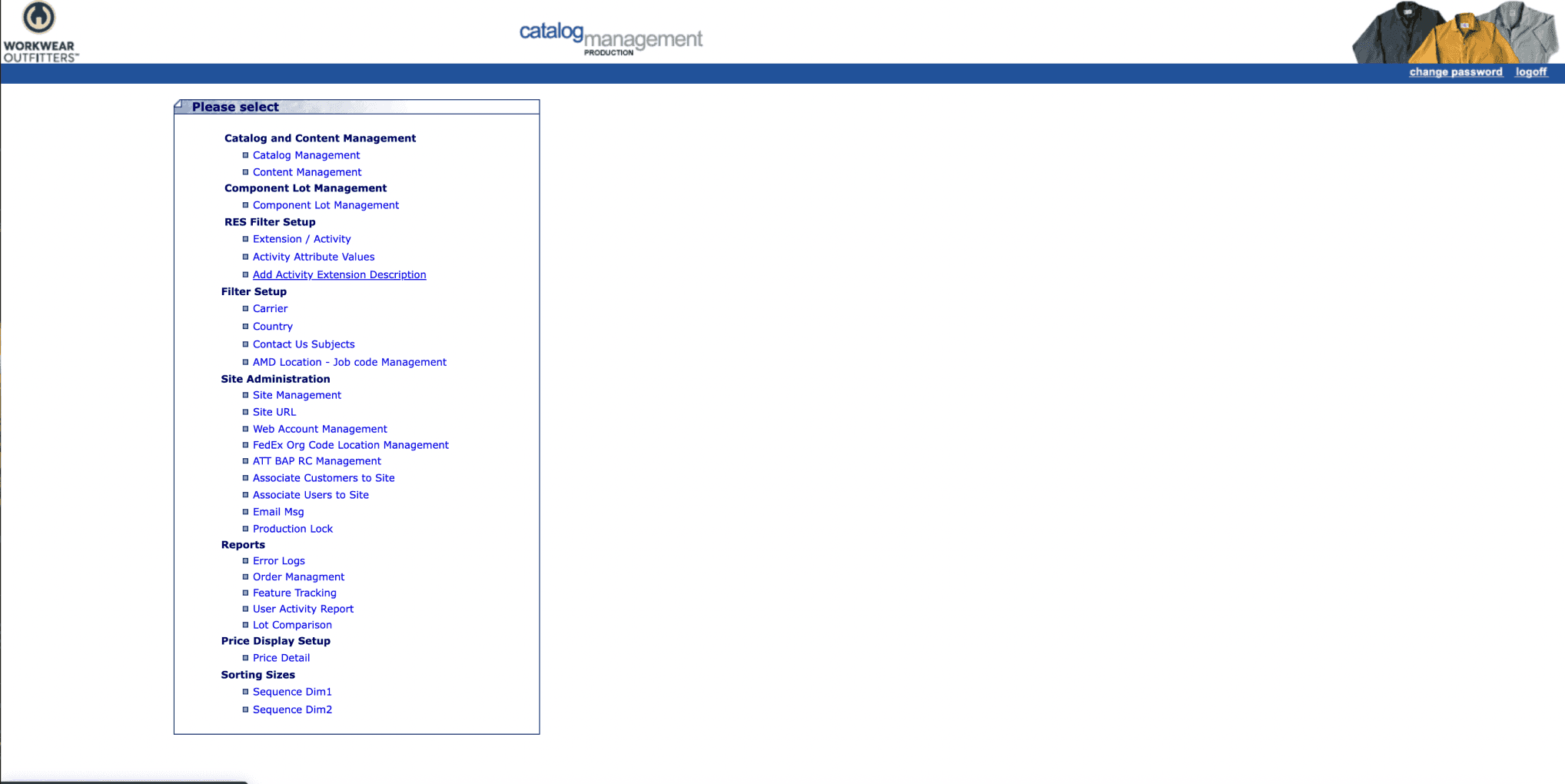
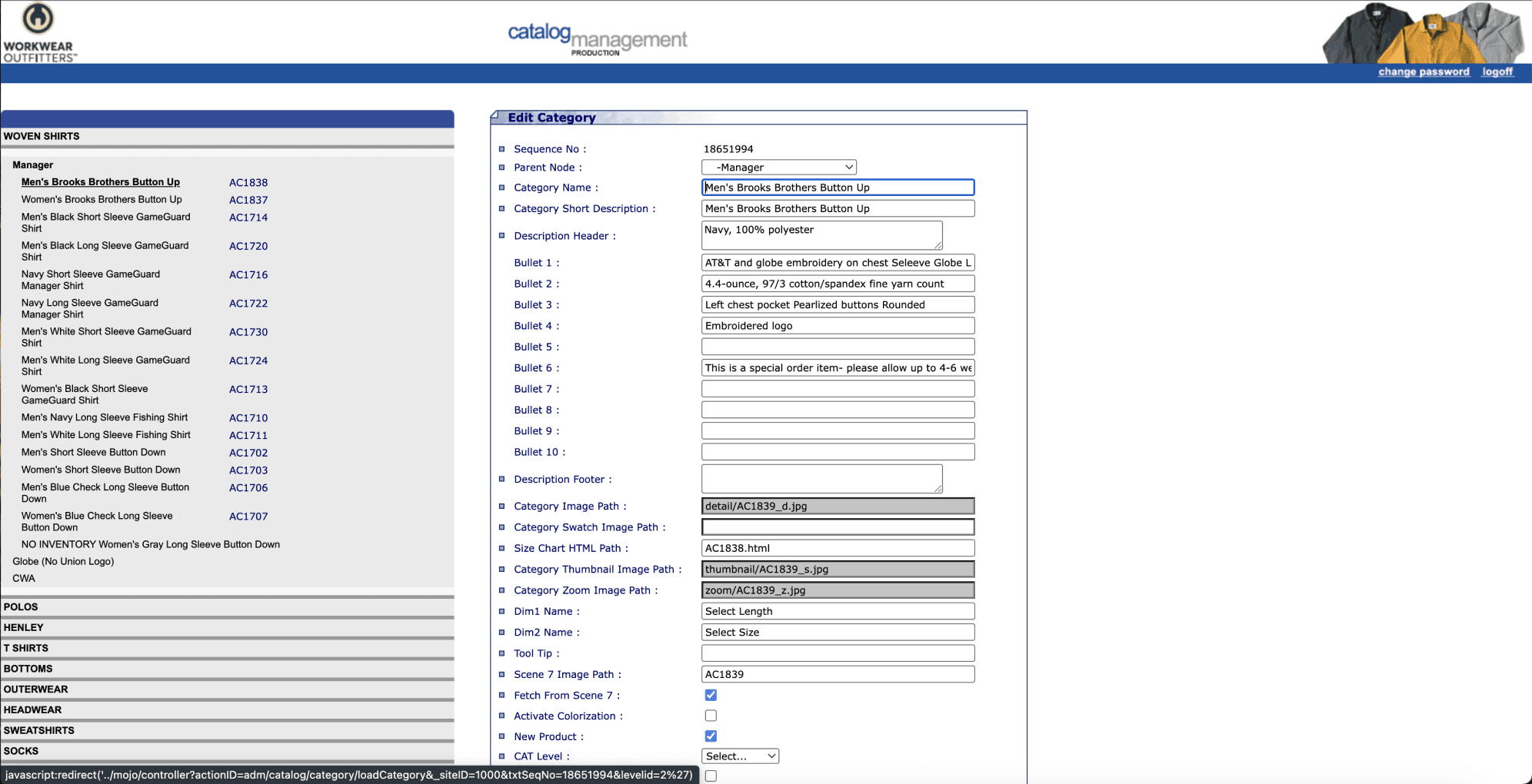
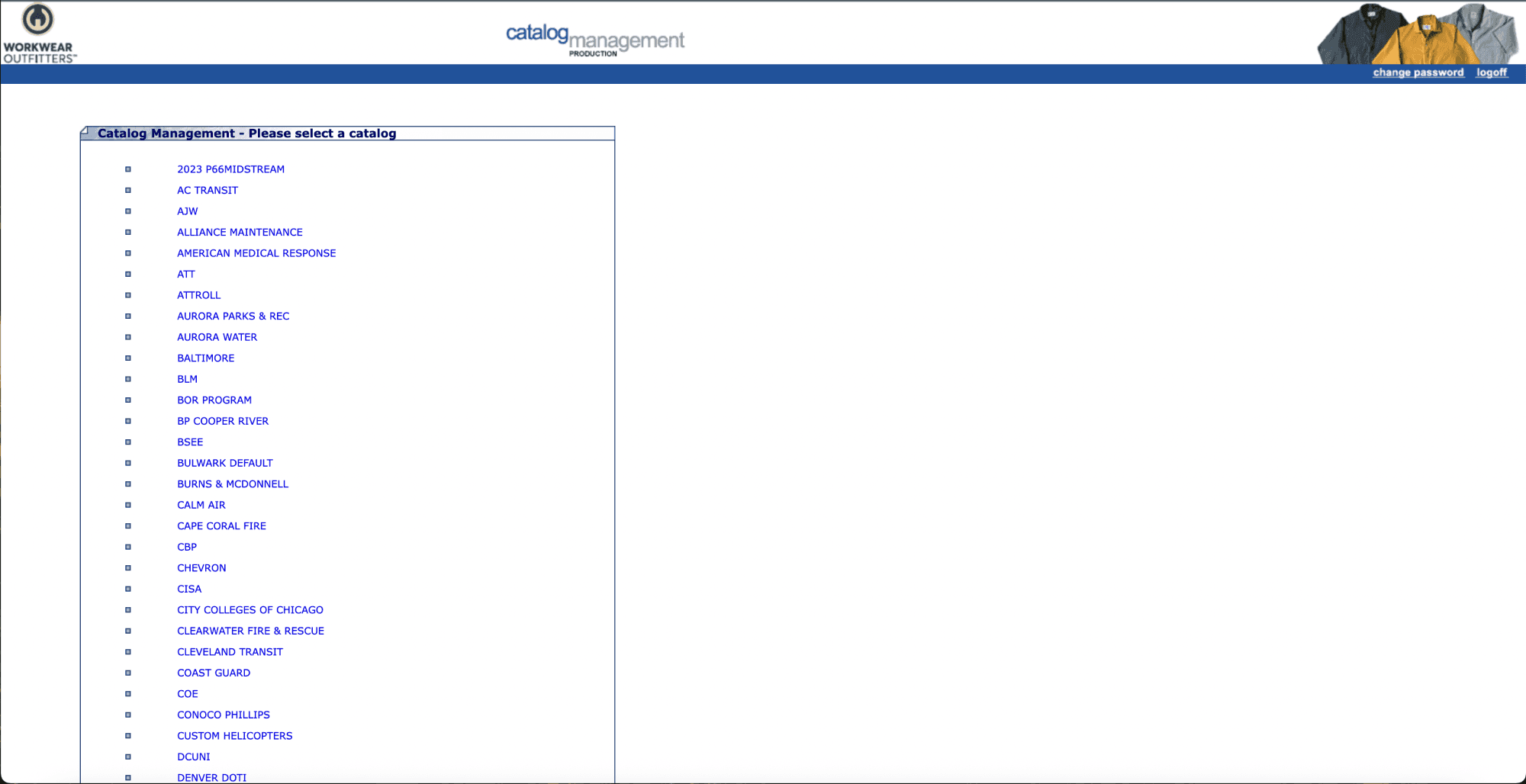
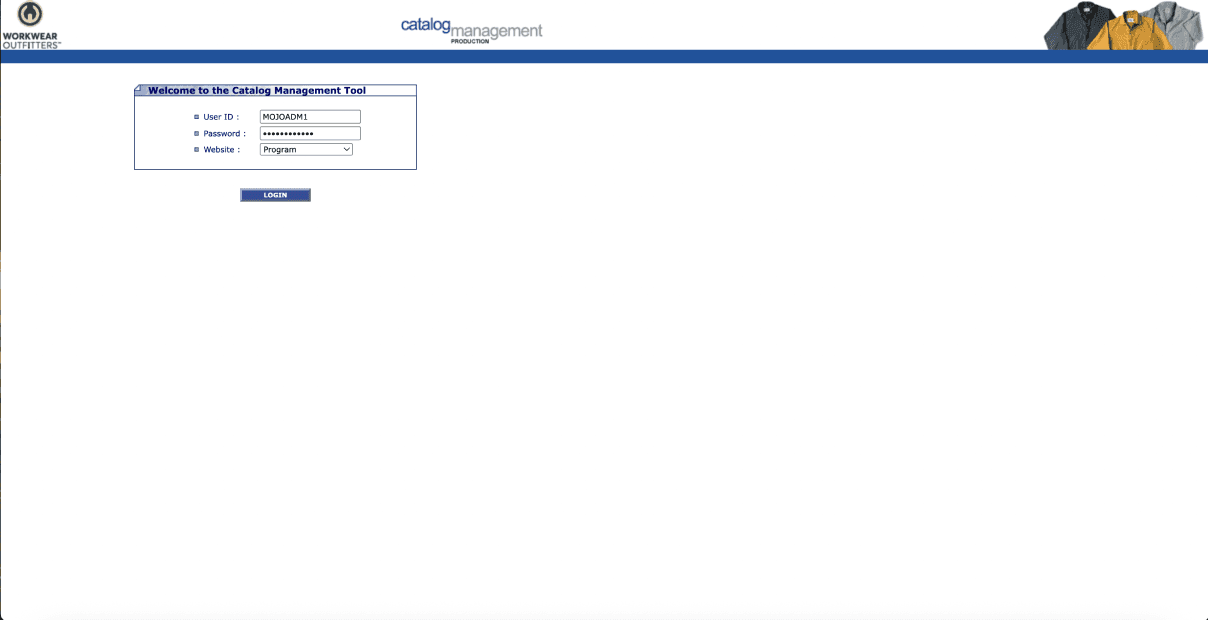
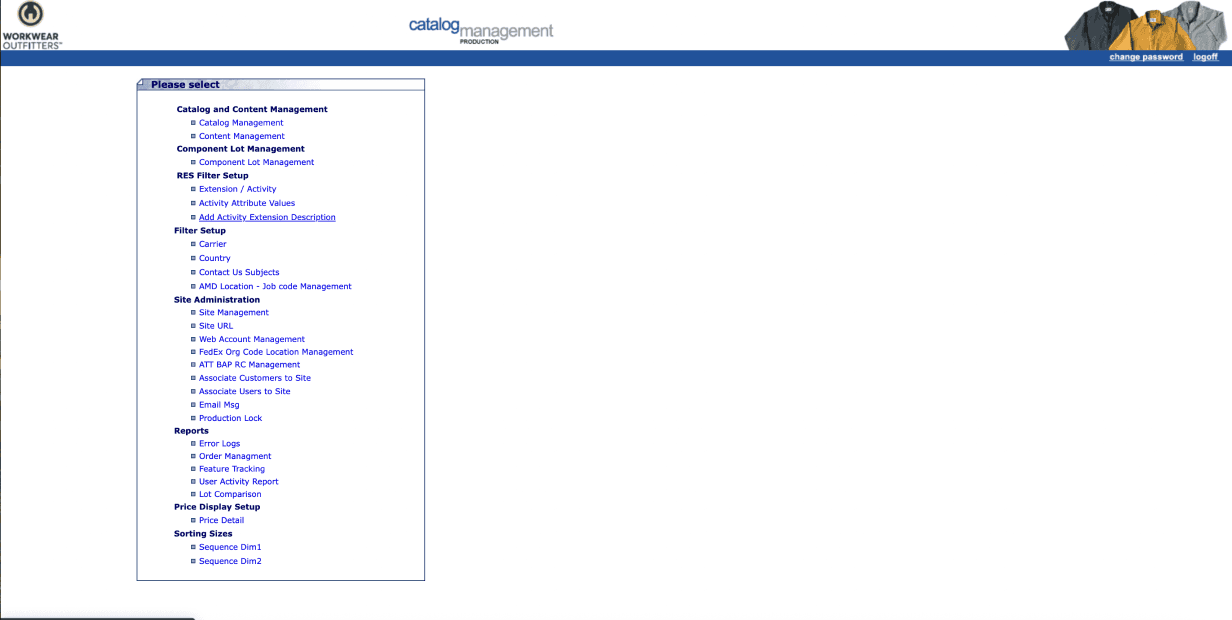
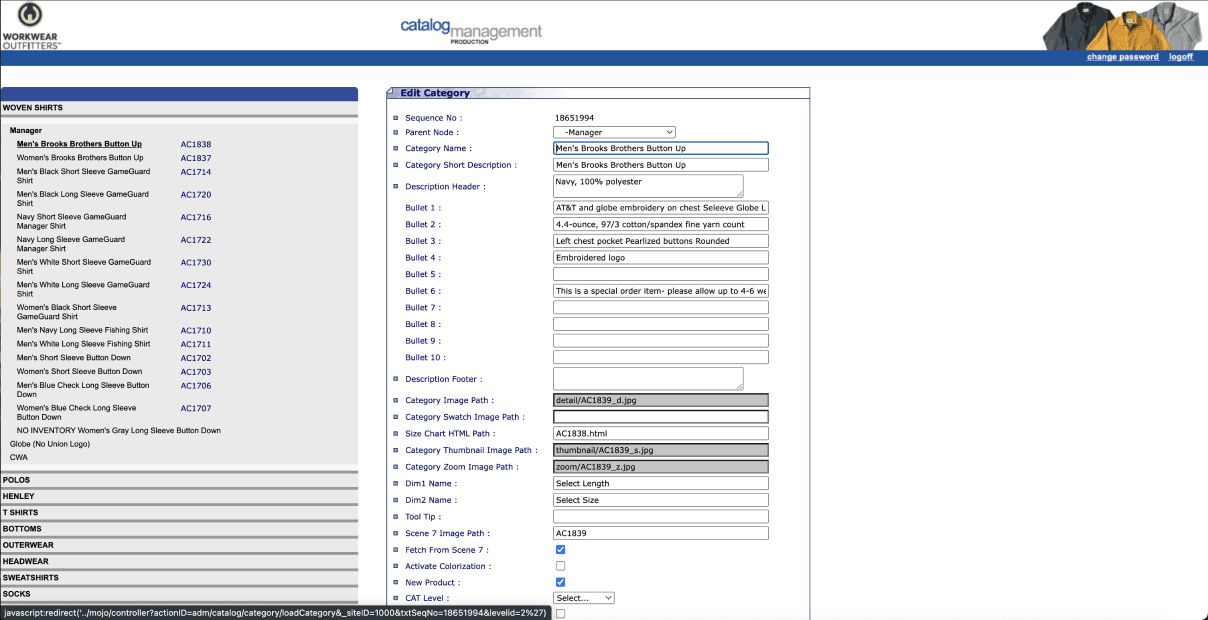
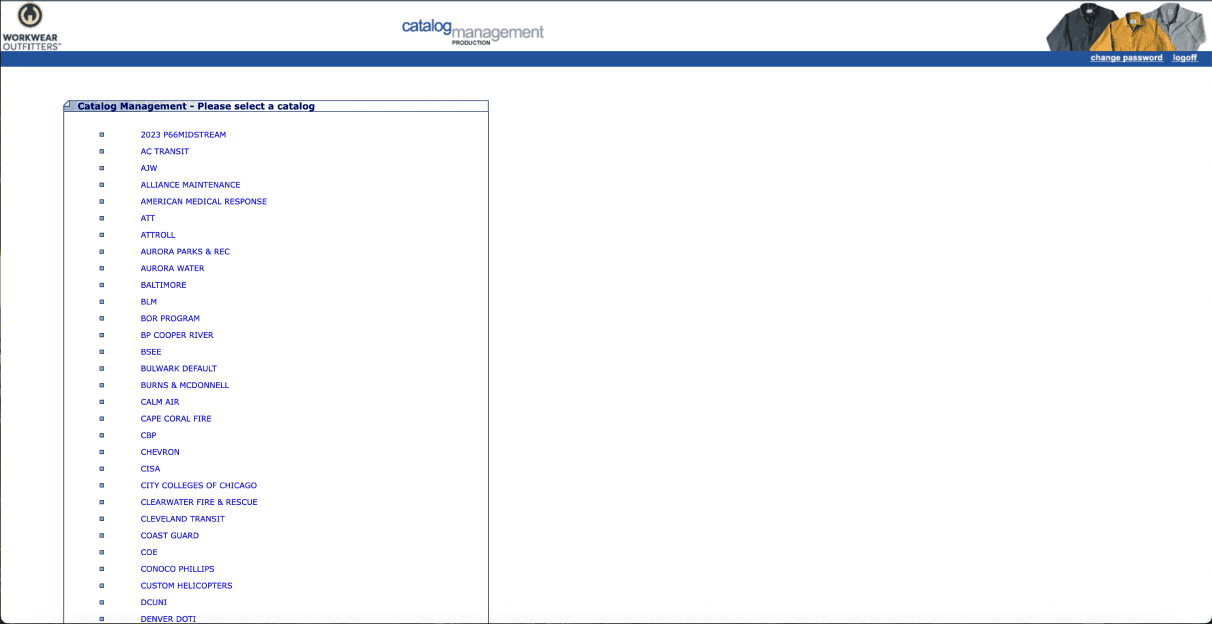
The existing admin portal featured fragmented workflows across catalog, content, and customer management. Admins faced:
Disjointed experiences switching between Internal operations
Complexity in managing a master product list with limited editing capabilities
Manual, error-prone processes for associating customers to sites and managing product dimensions
Poor visual hierarchy and inconsistent UI causing confusion and delays


Create a unified, intuitive admin portal where users can:
Seamlessly manage product catalogs and website content
Efficiently access and edit the Master Catalog
Easily associate customers to sites and add new customer profiles
Confidently manage product dimensions, including reordering and editing
Benefit from consistent UI, guided workflows, and clear feedback
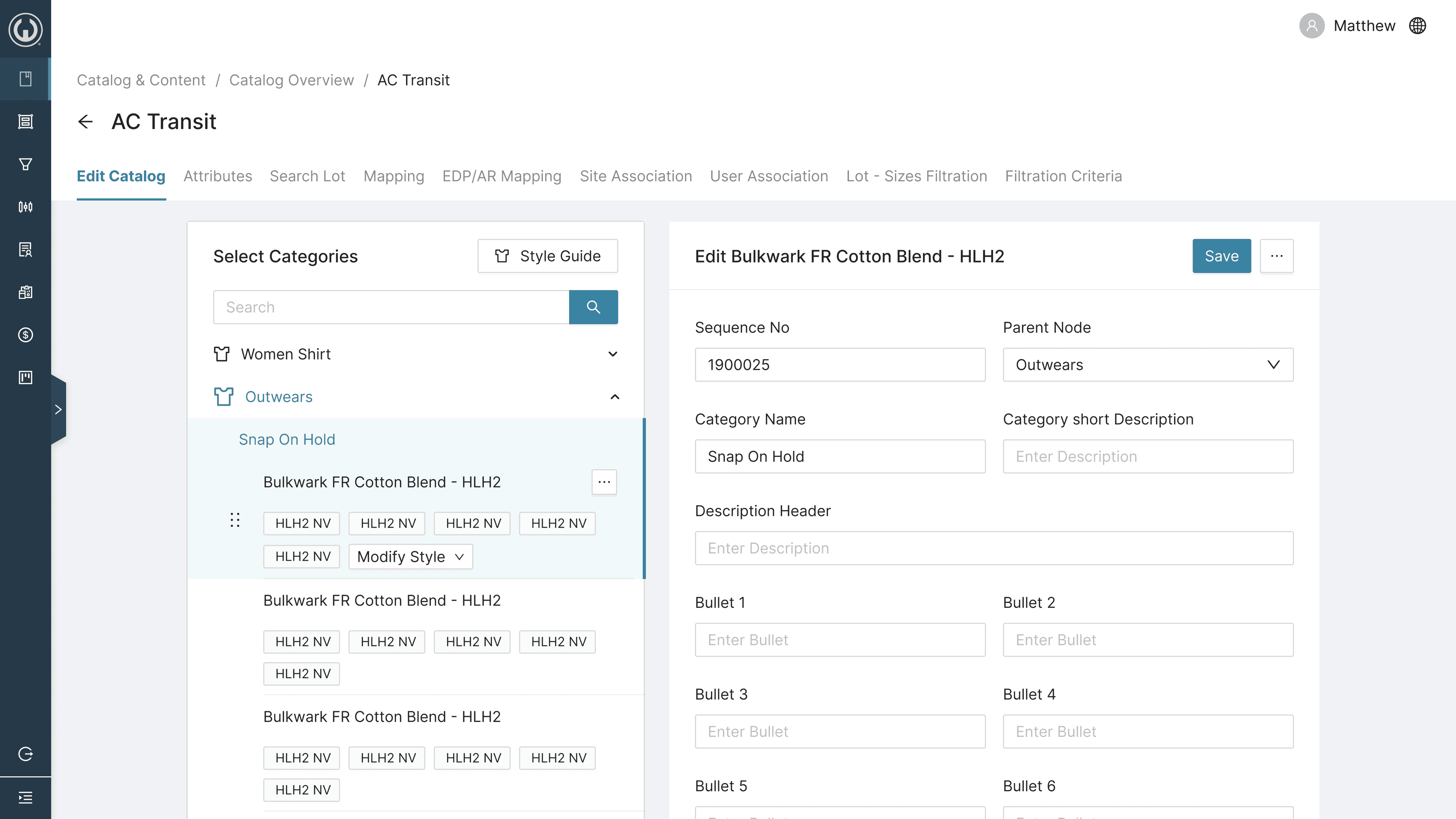
Catalog Management Flow
Redesigned from a cluttered multi-step process to a clean, hierarchical interface with drag-and-drop reordering of categories, sub-categories, and products. Clear empty states and overwrite safeguards greatly reduced errors.
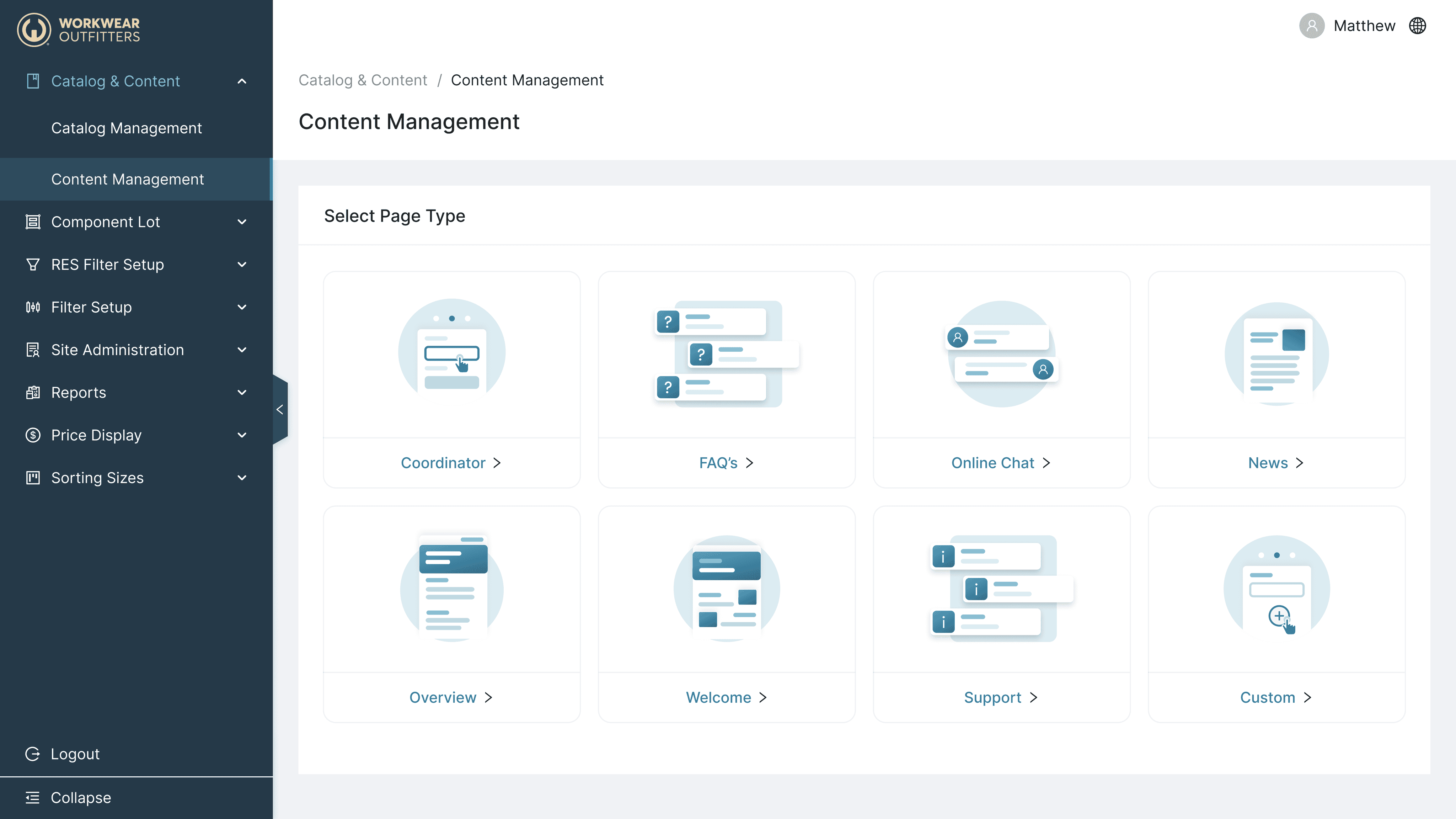
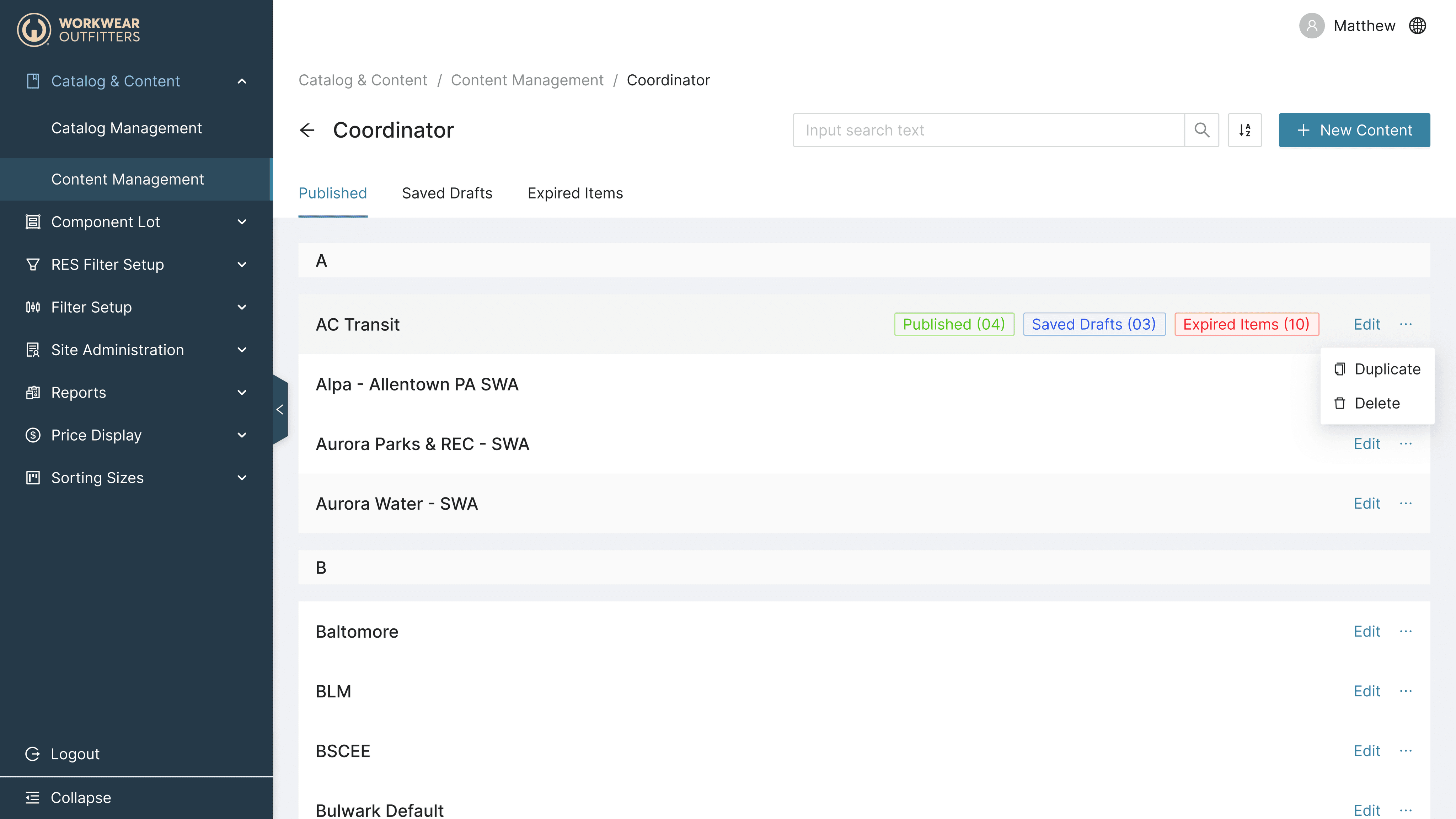
Content Management Flow
Developed a streamlined flow enabling admins to update and manage website content linked to customers and products. Introduced inline editing and preview capabilities to accelerate content updates.
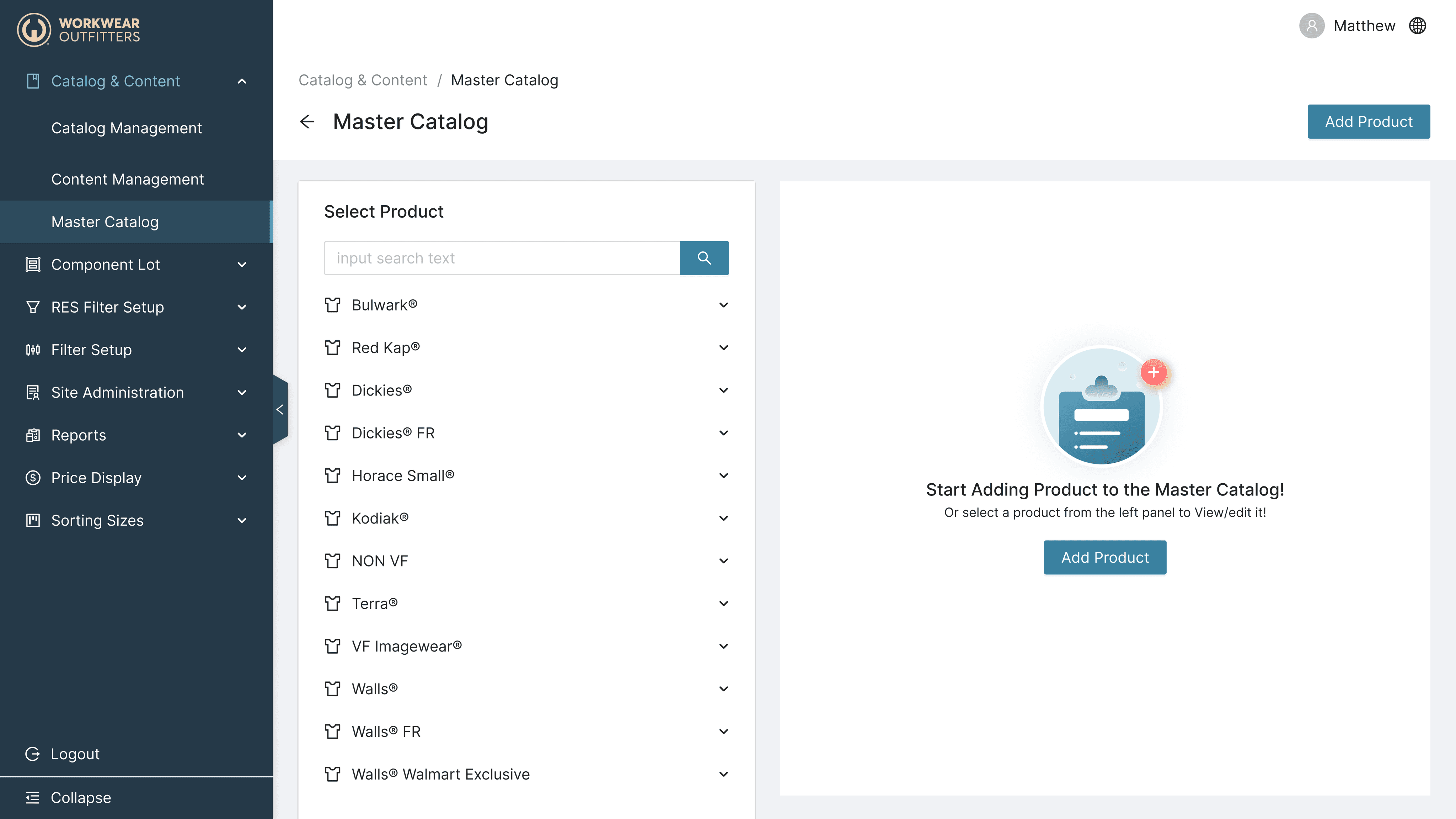
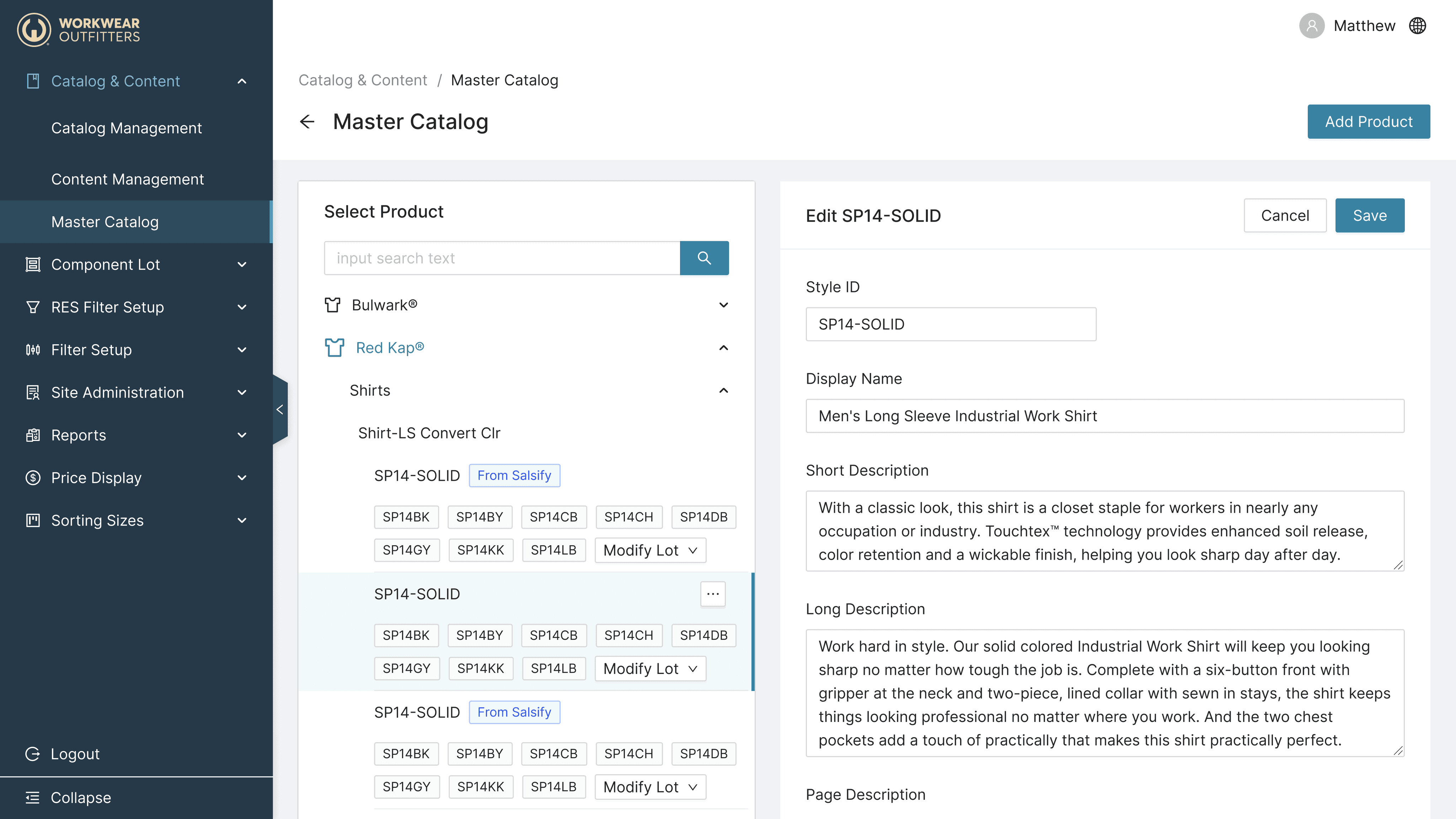
Master Catalog
Centralized all products in one master list, allowing admins to search, add, or edit products efficiently. Introduced filters and bulk actions to support large inventories.
Associate Customers to Site
Created a simple, clear interface where admins can associate existing customers to sites or add new customers without leaving the workflow, reducing context switching.
Dimension Management
Implemented a dynamic interface for adding, editing, and reordering product dimensions using drag-and-drop. Improved performance and real-time visual feedback enhanced user confidence.
Significant reduction in time spent managing catalogs and content.
Fewer errors due to enhanced safeguards and guided workflows.
Improved admin satisfaction reported during usability testing.
Established a scalable, consistent UI design system across all admin flows.
Set the foundation for future feature expansions like bulk operations and role-based access.
This project reinforced the importance of consolidating fragmented workflows into a cohesive experience. I learned that clear visual hierarchy and consistent UI components empower users and reduce cognitive load. Close collaboration with engineers ensured practical, maintainable solutions aligned with design intent.